
Photopea Alternatives
Table of Contents
- Introduction: Why Look for Photopea Alternatives?
- Comparison Table: Photopea Alternatives
- Photoshop: The Closest Photopea Replacement
- MockoFun: A Powerful Tool for Photo Edits & Creative Designs
- Affinity Photo: Best for Professional Photo Editing
- GIMP: Best Free & Open-Source Photo Editor
- Canva: The Best Choice for Templates and Visual Content
- Conclusion: How to Choose the Best Photopea Alternative
- Photopea Alternatives FAQ
Why Look for Photopea Alternatives?
People search for different Photopea alternatives because they want an image editing tool that better suits their needs and working style.
Photopea is a popular browser-based editor but its similarity to Photoshop might be a disadvantage. Some users find it difficult to use and might search for a photo editor with a simpler interface, something easier to use.
Others may prefer desktop apps that work offline, faster performance, more advanced photo editing features, tools for graphic design, social media content and quick AI edits.
Whether they are beginners looking for an easier option or professionals searching for more advanced features, there are plenty of Photopea alternatives worth exploring.
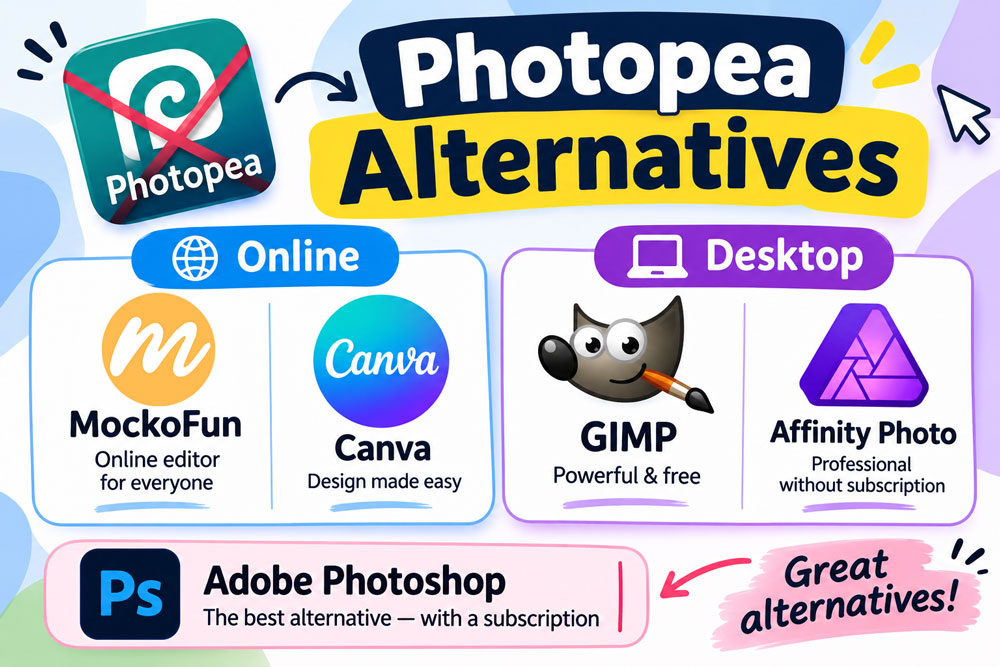
Photopea Alternatives Compared
| Rank | Tool | Best For | Ease | Platform | Pricing |
|---|---|---|---|---|---|
| 1 | Photoshop | Professional photo editing and advanced desktop design | Difficult | Windows, Mac | ❌ Paid (Subscription) |
| 2 | MockoFun | Quick photo editing, creative design, text effects, and AI tools | Very Easy | Web | ✅ Free Plan / Paid Plans |
| 3 | Affinity Photo | High-resolution photo editing and professional print exports | Moderate | Windows, Mac | ✅ Free |
| 4 | GIMP | Powerful, open-source desktop image editing | Hard | Windows, Mac, Linux | ✅ Free |
| 5 | Pixlr | Online photo editing and quick creative designs | Easy | Web | ✅ Free Plan / Paid Plans |
| 6 | Fotor | Quick photo edits with AI enhancements | Very Easy | Web | ✅ Free Plan / Paid Plans |
| 7 | Canva | Templates, social media graphics, and marketing designs | Easy | Web, Windows, Mac | ✅ Free Plan / Paid Plans |
In this quide, we explore the best Photopea alternatives: Photoshop, Mockofun, Affinity Photo, GIMP, Pixlr, Fotor and Canva.
1. Photoshop: The Closest Photopea Replacement
Photoshop is the oldest and most powerful and professional photo editing tool.
Photopea is actually a clone of Photoshop and was mentioned first in my online Photoshop alternatives list.
Photoshop has advanced image manipulation, layer-based editing, masks, blending modes, smart objects, and a huge collection of creative tools, making it an excellent Photopea alternative for professional work.
For over 25 years was widely used for photo retouching, digital painting, graphic design, web graphics, and image compositions.
Its strength is professional-grade editing.
Photoshop provides advanced features, AI-powered tools, and extensive customization options for users who need more control over their creative projects.
Platform:
- Windows
- Mac
Key Features:
- Advanced layer and mask editing
- Professional photo retouching
- Smart objects and smart filters
- Advanced blending modes
- Content-Aware Fill and Generative Fill
- AI-powered image editing
- Extensive selection and compositing tools
- Support for PSD files
Best for:
Photoshop is ideal for professional photographers, graphic designers, digital artists, marketing teams, and experienced users who need advanced photo editing and image manipulation capabilities.
2. MockoFun: Powerful Photo Editing & Graphic Design
MockoFun is an extremely capable hybrid photo editor online, one of the best Photopea alternatives for quick photo edits.
MockoFun features advanced photo editing with full blending modes, layers, layer mask, clipping masks, and non-destructive smart filters. It can also open PSD files with some limitations.
It is also a graphic design tool focused on creating stylish visuals quickly.
MockoFun offers many useful features for making photo manipulations, creating posters, social media graphics, logos, AI generated images and AI enhancement.
Its strength is simplicity.
Users can combine text effects, shapes, icons, photos, and backgrounds to create attractive designs without needing advanced editing skills.
Platform:
- Web Online
- Mac (in Browser)
Key Features:
- Online photo editing
- Layer-based & non-destructive editing tools
- Smart photo filters
- Easy image composition
- Layer mask, Blend modes
- Background removal
- AI image generation and photo enhancement
- Text effects and typography tools
- Templates for creative projects
- Simple design workflow
- Useful for social media graphics
Best for:
Mockofun works well for beginners, students, bloggers, marketers, and anyone who wants to create eye-catching designs or photo edits quickly.
3. Affinity Photo: Best for Professional Photo Editing
Affinity Photo is a professional photo editing application designed for photographers and graphic designers who need powerful editing capabilities without relying on a subscription. It offers advanced layers, masks, blending modes, RAW development, retouching tools, and precise image adjustments, making it a strong Photopea alternative.
It provides a comprehensive set of tools for photo manipulation, digital painting, image compositing, and professional retouching.
Its non-destructive editing features also make it suitable for complex creative workflows.
Its strength is combining professional editing capabilities with a streamlined interface.
Affinity Photo was bought by Canva and It is now a free tool.
Platform:
- Windows
- Mac
Key Features:
- Advanced layer and mask editing
- Professional photo retouching
- RAW image development
- Non-destructive adjustments
- Advanced blending modes
- HDR merging and panorama stitching
- Frequency separation
- PSD file compatibility
Best for:
Affinity Photo works well for photographers, graphic designers, digital artists, and users looking for a professional Photoshop alternative without a traditional monthly subscription.
4. GIMP: Best Open-Source Photo Editor
GIMP is a free, open-source image editor and a great Photopea alternative. It offers advanced tools for photo editing, retouching, digital painting, and graphic design. With layers, masks, filters, and plugins, GIMP provides powerful editing features at no cost.
Platform:
- Windows, Mac, Linux
Key Features:
- Advanced layer editing
- Selection and masking tools
- Custom brushes and filters
- Plugin and extension support
- Cross-platform compatibility
 Pros
- Free and open-source
- Powerful image-editing capabilities
- No subscription required
 Cons
- Requires installation
- Steeper learning curve
- Some PSD effects may not transfer perfectly
Best for:
GIMP works well for students, hobbyists, photographers, digital artists, and users looking for a powerful free alternative to Photopea and Photoshop.
5. Pixlr: Fast and Easy Online Photo Editing
Pixlr is a browser-based photo editing platform that provides a convenient way to edit images without installing desktop software. It offers different editing experiences, including more advanced layer-based editing and simpler tools for quick photo adjustments, making it a practical online Photopea alternative.
It includes useful features for photo retouching, background removal, image enhancement, graphic design, and creative compositions. Its AI-powered tools also help users automate common editing tasks and improve images with minimal effort.
Its strength is accessibility. Pixlr combines a relatively simple interface with useful editing features, allowing users to work on images directly from their browser.
Platform:
- Web Online
Top Features:
- Online photo editing
- Layer-based editing tools
- Background removal
- AI image generation and editing
- Photo filters and effects
- Image enhancement tools
- Text and graphic design elements
- Quick image adjustments
Best for:
Pixlr is suitable for beginners, bloggers, students, social media creators, and anyone who needs a convenient online photo editor for everyday image editing and graphic design.
6. Fotor: AI-Powered Photo Editing Made Simple
Fotor is an online photo editor and graphic design platform focused on making image enhancement and creative design simple. It offers a variety of photo editing tools, filters, retouching features, and AI-powered enhancements, making it a useful Photopea alternative for everyday editing tasks.
It also provides design templates and creative tools for producing social media graphics, posters, collages, marketing materials, and other visual content. Users can improve photos, remove backgrounds, retouch portraits, and apply artistic effects without advanced editing knowledge.
Its strength is automated photo enhancement. Fotor uses AI-powered features to simplify tasks that would otherwise require more complicated editing workflows.
Platform:
- Web Online
Top Features:
- AI photo enhancement
- Portrait retouching
- Background removal
- Photo filters and effects
- AI image generation
- Object removal
- Collage maker
- Graphic design templates
- One-click photo adjustments
Best for:
Fotor works well for beginners, photographers, bloggers, social media creators, and small businesses that want to enhance photos and create attractive graphics quickly.
7. Canva: The Best Choice for Templates and Visual Content
Canva is an easy-to-use online graphic design platform that combines basic photo editing with a large collection of design tools and templates. It is a convenient Photopea alternative for users who want to create attractive visuals without learning complicated image editing software.
It offers many useful features for creating social media graphics, presentations, posters, flyers, logos, marketing materials, and other visual content. Users can combine photos, text, shapes, icons, and illustrations using a simple drag-and-drop interface.
Its strength is simplicity and speed.
Canva makes graphic design accessible to beginners through ready-made templates, AI-powered features, and an intuitive editing workflow.
Platform:
- Web Online
- Windows
- Mac
Top Features:
- Easy drag-and-drop editor
- Thousands of design templates
- Basic photo editing tools
- Background remover
- AI image generation and editing
- Text effects and typography
- Social media design tools
- Large library of graphics and stock photos
Best for:
Canva is ideal for beginners, bloggers, marketers, students, small businesses, and social media managers who want to create professional-looking graphics quickly without advanced photo editing skills.
How to Choose the Best Photopea Alternative
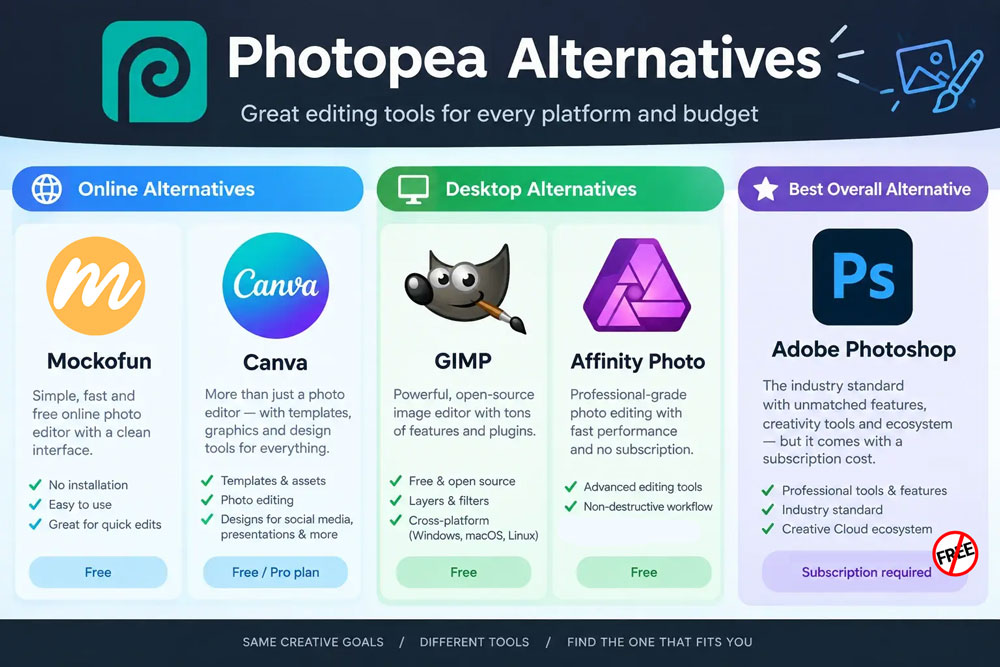
The best Photopea alternative depends on your editing goals, skill level, device, and budget.
If you need quick but still powerful photo edits with non-destructive filters, layers and blend modes, choose MockoFun. Beginners may prefer simple editors with drag-and-drop tools, automatic adjustments, and an easy-to-use interface.
For easy graphic designs (social media posts, ads, presentations, marketing materials, etc.) look for tools that have templates, fonts and design elements like Canva or MockoFun.
What Photopea problems do users care about most?
| User type | Main reason to switch |
|---|---|
| Casual users | Too many ads |
| Beginners and non-designers | Hard to learn and use |
| Professional graphic designers | Missing advanced features |
| Photographers | Slow when editing large photos. Missing advanced retouching tools |
| Privacy-conscious users | Browser-based photo editing |
| Teams and agencies | Collaboration features |
| Offline users | Internet dependency |
Photopea Alternatives FAQ
What is the best free alternative to Photopea?
GIMP is one of the best free alternatives to Photopea, offering advanced photo editing, layers, masks, filters and image manipulation tools.
Are there any Photopea alternatives that work online?
Yes. MockoFun and Pixlr are popular browser-based alternatives that let you edit images online without installing desktop software.
Which Photopea alternative supports PSD files?
GIMP, Krita, MockoFun and Affinity support PSD files to varying degrees. However, some advanced Photoshop effects and layer features may not transfer perfectly.
What is the best Photopea alternative for beginners?
MockoFun is a great option for beginners because of its simple interface, non-destructive editing, ready-made templates and easy-to-use editing tools.
Is there a free Photopea alternative for professional photo editing?
Yes. GIMP is a powerful free option for professional photo editing, retouching and graphic design. Affinity Photo is another excellent free choice.
Top 10 Reasons People Look for Photopea Alternatives
- Too many ads. Photopea’s free version includes advertisements that can distract from the editing experience.
- Limited advanced features. Professional designers may need more advanced tools for photo manipulation, retouching, color grading, and graphic design.
- Limited AI tools. Some users need AI photo editing tools for quick edits or for creating advances photo manipulations easily.
- Less intuitive interface. Beginners may find Photopea’s Photoshop-like interface overwhelming or difficult to navigate.
- Internet dependency. Users may prefer a desktop application that works offline without depending on a internet connection.
- Performance issues. Large PSD files, complex designs, and multiple layers can make the browser-based editor slow or unresponsive.
- Browser limitations. Editing large files can consume significant browser memory and system resources, potentially causing crashes.
- Privacy concerns. Some users may prefer desktop software that keeps their files and editing workflow entirely local.
- Limited collaboration features. Teams may need real-time collaboration, shared workspaces, comments, and cloud-based asset management.
- Plugin and integration limitations. Users may want broader support for third-party plugins, design tools, extensions, and professional workflows.
- Different pricing preferences. Some users prefer a one-time purchase, a completely free solution, or a subscription that offers additional professional features.